Process Optimization: Automating Processes and Improving Workflows
Veröffentlicht am 03.06.2026
Lesedauer: 16 min

Contents
- What Does Process Optimization Mean?
- Why Companies Need to Rethink Their Processes
- Process Optimization in Your Company: These Processes Can Be Automated
- Process Optimization Approach: 4 Steps to More Efficient Workflows
- An Overview of Process Optimization Methods
- What are the Benefits of Process Automation?
- Common Challenges in Process Optimization
- How free-com Supports Companies in Process Optimization
- Frequently Asked Questions About Process Optimization
Inhalt
- What Does Process Optimization Mean?
- Why Companies Need to Rethink Their Processes
- Process Optimization in Your Company: These Processes Can Be Automated
- Process Optimization Approach: 4 Steps to More Efficient Workflows
- An Overview of Process Optimization Methods
- What are the Benefits of Process Automation?
- Common Challenges in Process Optimization
- How free-com Supports Companies in Process Optimization
- Frequently Asked Questions About Process Optimization
Long turnaround times, lost documents, or approvals that get buried in email inboxes… anyone who works in a finance or administrative department is familiar with these pain points. They are rarely the result of individual mistakes. More often than not, they stem from processes that have evolved over the years without ever being systematically reviewed or redesigned.
This is exactly where process optimization in a company comes in: it makes workflows visible, uncovers bottlenecks, and lays the groundwork for digital workflows and efficient process automation.
This article explains what process optimization entails, how companies can approach it in a structured manner, and which levers have the greatest impact, particularly in document-driven processes. Using concrete examples, you’ll learn how digital invoice processing, automated expense reporting, intelligent document recognition, and structured approval processes help optimize workflows in a sustainable way.
What Does Process Optimization Mean?
Process optimization refers to the systematic improvement of existing workflows within a company. The goal is to make processes more efficient, transparent, less error-prone, and easier to manage.
It is important to distinguish between digitization and true process optimization: If you scan a paper invoice and then still approve it via email, you have created a digital intermediate step, but not a better process. Process optimization asks further: Which steps are necessary? Which are superfluous? Where do waiting times occur? Which tasks can be automated?
Good process optimization is not a one-time project, but a continuous cycle of analysis, redesign, implementation, and measurement.
Why Companies Need to Rethink Their Processes
Process optimization has always been relevant. But the conditions under which companies operate today make it more urgent than ever. Process optimization plays a particularly important role for finance teams and administration-intensive areas.
Process Optimization in Your Company: These Processes Can Be Automated
In document-driven companies, many core workflows follow two major process chains: from purchasing to payment to the supplier (Purchase-to-Pay) and from the customer order to receipt of payment (Order-to-Cash). It is precisely here that manual steps, media breaks, and time-consuming approvals often occur.
At the same time, these processes hold the greatest potential for genuine process optimization, as document-based workflows in particular can now be automated in a targeted and efficient manner. This results in greater transparency, fewer sources of error, and a noticeable reduction in the workload for business departments.
Digitally Processing Incoming Invoices
In many companies, invoice receipt is a prime example of legacy, suboptimal processes: invoices arrive by mail, as PDFs via email, and increasingly in structured XML formats such as XRechnung or ZUGFeRD. In some companies, they arrive via all these channels simultaneously.
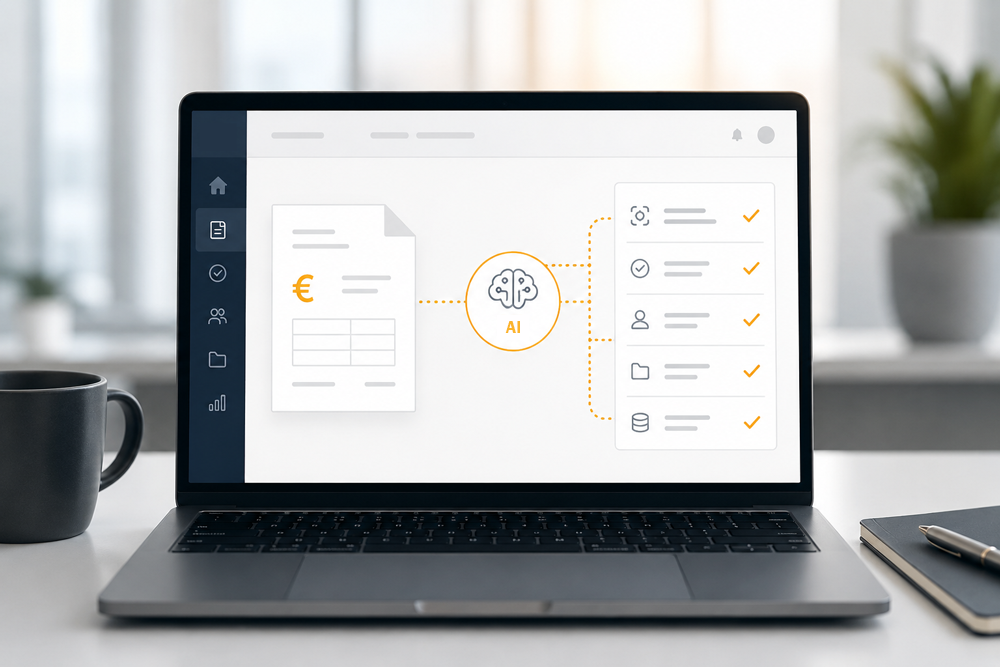
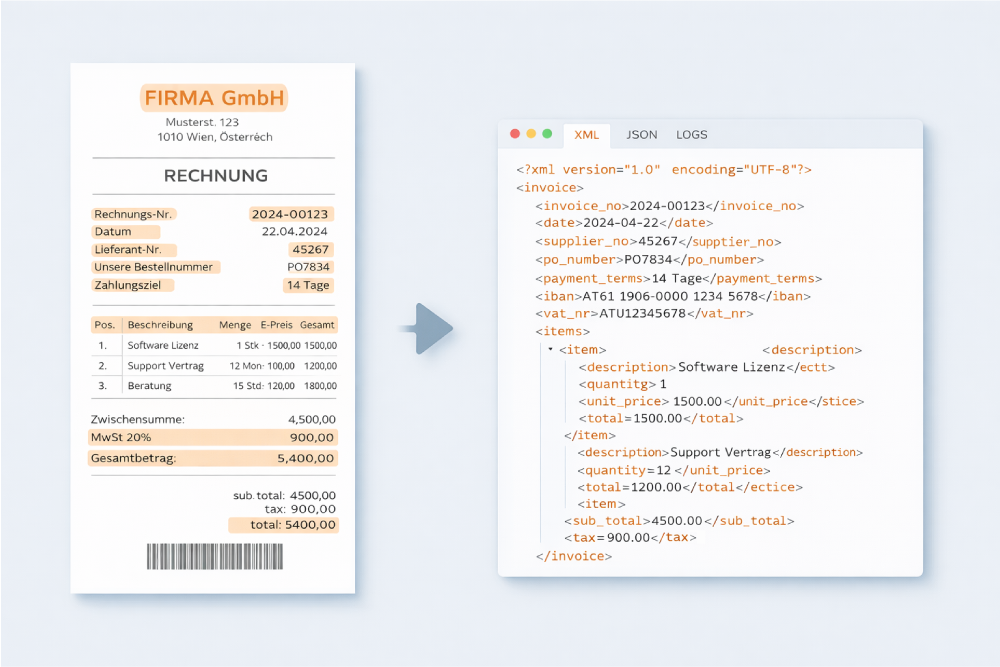
Digital invoice processing does not start with the format, but with the process behind it. This means: automatic document recognition and data extraction via AI and OCR, intelligent account assignment suggestions, rule-based approval workflows, reconciliation with purchase orders and delivery notes (2-way match, 3-way match), and seamless integration with the ERP or financial accounting system. The end result is audit-proof archiving, completely free of manual intermediate steps and status ambiguities.
The outcome: shorter processing times, fewer missed discounts, transparent responsibilities, and a process that does not stall even with high document volumes.
Automate Travel and Expense Reimbursements
The processing of expense and travel reimbursements is a process that consumes a disproportionate amount of energy in many companies: for employees who collect and submit receipts, and for accounting teams who review, approve, and post them alike. Yet the potential for automation is high.
Digital travel expense processing captures receipts via a smartphone photo of the paper invoice or by drag&drop of the digital document, automatically checks for compliance with policies, triggers rule-based approvals, and transfers approved expense reports directly to the ERP system. What used to take weeks can now be reduced to a few days or even hours.
Automatically recognize and process documents
Process optimization does not end with invoices. Many companies process large volumes of document-based information every day: order confirmations, delivery notes, waybills, material certificates, timesheets, or contract documents.
Intelligent document processing can classify documents, extract relevant data, match it with existing information, and initiate the appropriate follow-up process. This is particularly useful in situations where documents are received digitally but are still manually checked, sorted, and forwarded internally.
Digitally Manage Approval Processes
Approval processes are a classic example of poor workflows. They are necessary but often poorly organized. Who is authorized to approve what? At what amount is a second approval required? What happens in the event of an absence? Who can see the current status? And why has the invoice been sitting with someone who is not actually responsible for it for the past six days?
Digital approval workflows, on the other hand, manage responsibilities based on rules: by amount, cost center, department, or document type. They send automatic reminders, escalate in case of delays, and make the status traceable at all times. The result: fewer follow-up inquiries, shorter processing times, and significantly greater traceability.
Process Optimization Approach: 4 Steps to More Efficient Workflows
Process optimization does not happen on its own. It requires a clear methodology, specific individuals in charge, and the willingness to truly challenge existing structures. The good news is that getting started does not have to be complicated. A structured, four-step approach has proven effective in practice.
An Overview of Process Optimization Methods
Different methods are used depending on the initial situation and objectives:
Lean Management eliminates waste and focuses on value-adding steps. Six Sigma reduces process errors using metrics. Kaizen relies on continuous, incremental improvements driven by the team. Business Process Reengineering (BPR) fundamentally redesigns processes when incremental improvements are insufficient. BPMN 2.0 is the standard notation used to model processes in a uniform manner and make them readable for software systems.
Which method is appropriate depends on the specific use case. Consistent implementation is key.
What are the Benefits of Process Automation?
The benefits of automated processes cannot be reduced to a single point. They operate on multiple levels simultaneously and reinforce one another.
- Faster processing: Digital workflows automatically route tasks to the right place. Invoices, receipts, or approvals no longer need to be distributed manually. This reduces processing times and turnaround times.
- Fewer errors: Manual data entry is prone to errors. Automatic data extraction, validation, and reconciliation significantly reduce these sources of error. This is particularly relevant in invoice processing, as incorrect amounts, cost centers, or tax codes can lead to unnecessary correction efforts later on.
- Transparent workflows: A good digital process shows the status of a task at any time. Who still needs to approve it? Which check is pending? Why was a document rejected? This transparency reduces the need for follow-up questions and improves control.
- Lower costs: Less manual work, shorter processing times, and fewer errors reduce process costs. This is especially true when dealing with large volumes of documents.
- Better collaboration: When processes are managed centrally, line departments, accounting, purchasing, and management all work from the same foundation. Comments, reviews, and decisions remain traceable within the workflow.
- Scalable processes: A well-automated process grows with the company. More documents, more locations, or additional document types do not automatically lead to more chaos.
| Area | Manual Process | Automated Process |
|---|---|---|
| Receipt | Email, paper, scan, various storage locations | Central digital inbox |
| Data Extraction | Manual entry | Automatic data extraction |
| Verification | Manual visual inspection | Validation, rule checking, deviation detection |
| Approval | Email, verbal notification, Excel list | Defined digital workflow |
| Status | Visible only upon request | Transparent at all times |
| Archiving | Manual filing, inconsistent | Audit-proof digital archiving |
| Analysis | Difficult or impossible | Process metrics available |
| Scalability | More volume means more effort | More volume can be better accommodated |
This is particularly evident in the processing of incoming invoices, expense reports, and other types of documents: automation delivers measurable benefits in terms of time, money, and process quality.
How can Process Optimization be Measured?
Typical metrics for document-based processes include: processing time per transaction, cost per document, error rate, percentage of exceptions processed manually, percentage of transactions posted automatically (blind posting rate), and the time to payment approval. Comparing these values before and after optimization provides a clear picture.
Common Challenges in Process Optimization
Routines provide a sense of security, which is why people often stick to familiar procedures, even when they are not working well. Especially in situations where employees are very familiar with established procedures and have developed workarounds that function well, there is usually little willingness to change. Successful process optimization therefore requires early involvement of the entire team, clear communication, and systems that people actually want to use in their daily work.
What companies should keep in mind: Process optimization is most successful when it is viewed as a collaborative, cross-departmental initiative rather than being rolled out by a single department to other teams. Business requirements, technical implementation, and change management must work together from the very beginning.
How free-com Supports Companies in Process Optimization
free-com helps companies digitize document-based business processes end-to-end: from capture through review, approval, and processing to archiving.
The focus is on processes in which documents must not only be filed but also understood, reviewed, and further processed. These include, in particular, incoming invoices, travel and expense reports, order confirmations, delivery notes, waybills, material certificates, timesheets, and other document-driven workflows.
The free-com Approach: End-to-End Instead of a Isolated Solution
Process optimization works best when all relevant steps are considered together:
- 1
Documents enter the company through various channels.
- 2
The solution automatically detects the document type and relevant data.
- 3
Content is reviewed, validated, and, if necessary, cross-checked against existing information.
- 4
The process is transferred to the appropriate workflow.
- 5
The responsible individuals review, comment on, or approve the document.
- 6
Data is transferred to ERP, financial accounting, or other target systems.
- 7
Documents and process history are archived in a traceable manner.
Companies that digitize and automate their processes early on lay the groundwork for more efficient workflows, greater transparency, and long-term scalability.
Do You Have Any Questions For Us?
Whether delivery receipts, order confirmations, incoming invoices, expense reports or other types of documents – our intelligent solution automatically reads all company documents and enables a transparent, location-independent approval process.
We would be happy to advise you in a short, non-binding online appointment!