Digital receipt capture: capturing receipts automatically, rather than processing them manually
Veröffentlicht am 08.09.2026
Lesedauer: 7 min

Contents
- Why manual receipt processing often slows things down
- What is automatic receipt recognition?
- Which documents can be captured automatically?
- Examples from practice:
- Automatic receipt recognition in practice
- Automated receipt processing: where it delivers the most value
- How free-com supports companies with digital receipt capture
- Frequently asked questions about digital receipt capture
Inhalt
- Why manual receipt processing often slows things down
- What is automatic receipt recognition?
- Which documents can be captured automatically?
- Examples from practice:
- Automatic receipt recognition in practice
- Automated receipt processing: where it delivers the most value
- How free-com supports companies with digital receipt capture
- Frequently asked questions about digital receipt capture
A delivery note or invoice arrives as a PDF by email, the expense receipt as a photo taken on a mobile phone, and in the end someone in accounts types it all manually into the software. Anyone working at a company processing 500+ receipts a month knows the consequences: typing errors, duplicate entries, misplaced documents and missed early-payment discount deadlines.
Automated receipt processing addresses exactly this problem. We explain how receipts are captured automatically, in which areas it is worth deploying, and what companies should bear in mind.
Why manual receipt processing often slows things down
The real challenge doesn’t lie in the individual document. It arises when invoices, delivery notes or expense receipts come in daily through various channels, and every piece of information has to be captured, checked and forwarded manually.
Our experience shows that the greatest effort often doesn’t come from the individual receipt itself, but from the many recurring tasks involved in capturing, checking and approving it. As the number of documents grows, this effort increases continuously.
Typical challenges include:
- Multiple data entries
- Different document formats
- Breaks between paper-based and digital systems
- Time-consuming approval processes
- Lack of transparency over processing status
This is particularly true in accounting, procurement and travel expense management, where these costs quickly add up to a genuine cost factor.
What is automatic receipt recognition?
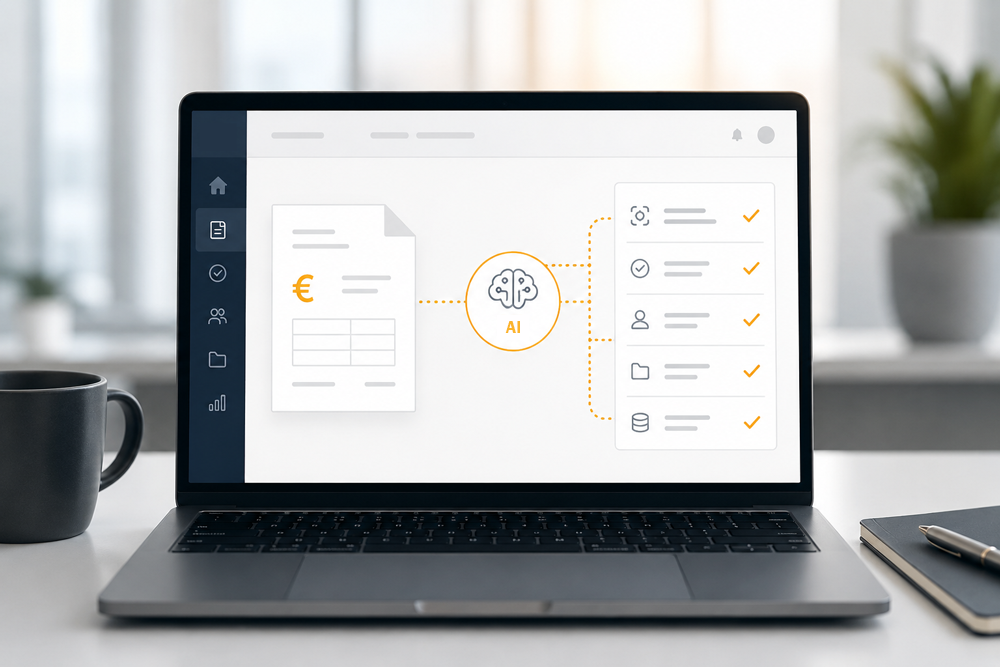
Automated receipt processing covers the entire lifecycle of a document: from receipt, through capture and verification, to further processing in the relevant target system. Several technologies and methods work together in this process.
OCR, or Optical Character Recognition, converts scanned or photographed documents into digital text. Modern OCR can no longer be equated with the simple character recognition of the past. Current systems frequently draw on AI and machine learning methods, recognising not only individual letters and numbers but also text areas, lines, tables, positions and, in some cases, handwritten content.
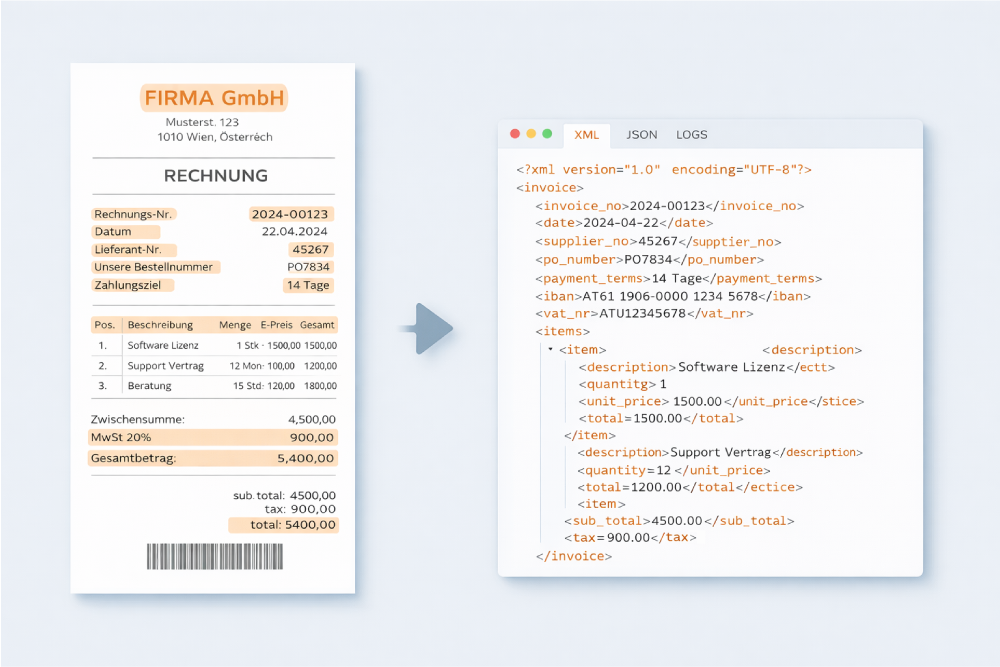
The real challenge, however, begins after text recognition. A system must not only read what is on a receipt; it must understand what each piece of information means. With an invoice, for example, it is not simply a matter of recognising a number, but of distinguishing whether it is the invoice number, order number, net amount, tax amount or payment due date.
Machine learning and AI support precisely this classification. They help to categorise document types, extract relevant data fields, match information against master data or purchase orders, and flag anomalies. Corrections made during manual review can also be used to refine the models in a targeted way. Reputable systems work with validated data, defined rules and controlled training processes.
This is what sets it apart from pure text recognition: automated receipt processing does not merely read out information. It prepares that information so it can be checked, approved, posted, passed on to ERP or financial accounting systems, and archived in an audit-proof, legally compliant manner.
If you would like to find out more about OCR, machine learning and artificial intelligence, please see our guide “OCR, ML, LLM and Agentic AI: the evolution of AI in intelligent document processing”.
Which documents can be captured automatically?
Depending on the company’s processes, the following types of documents, among others, can be captured and processed automatically:
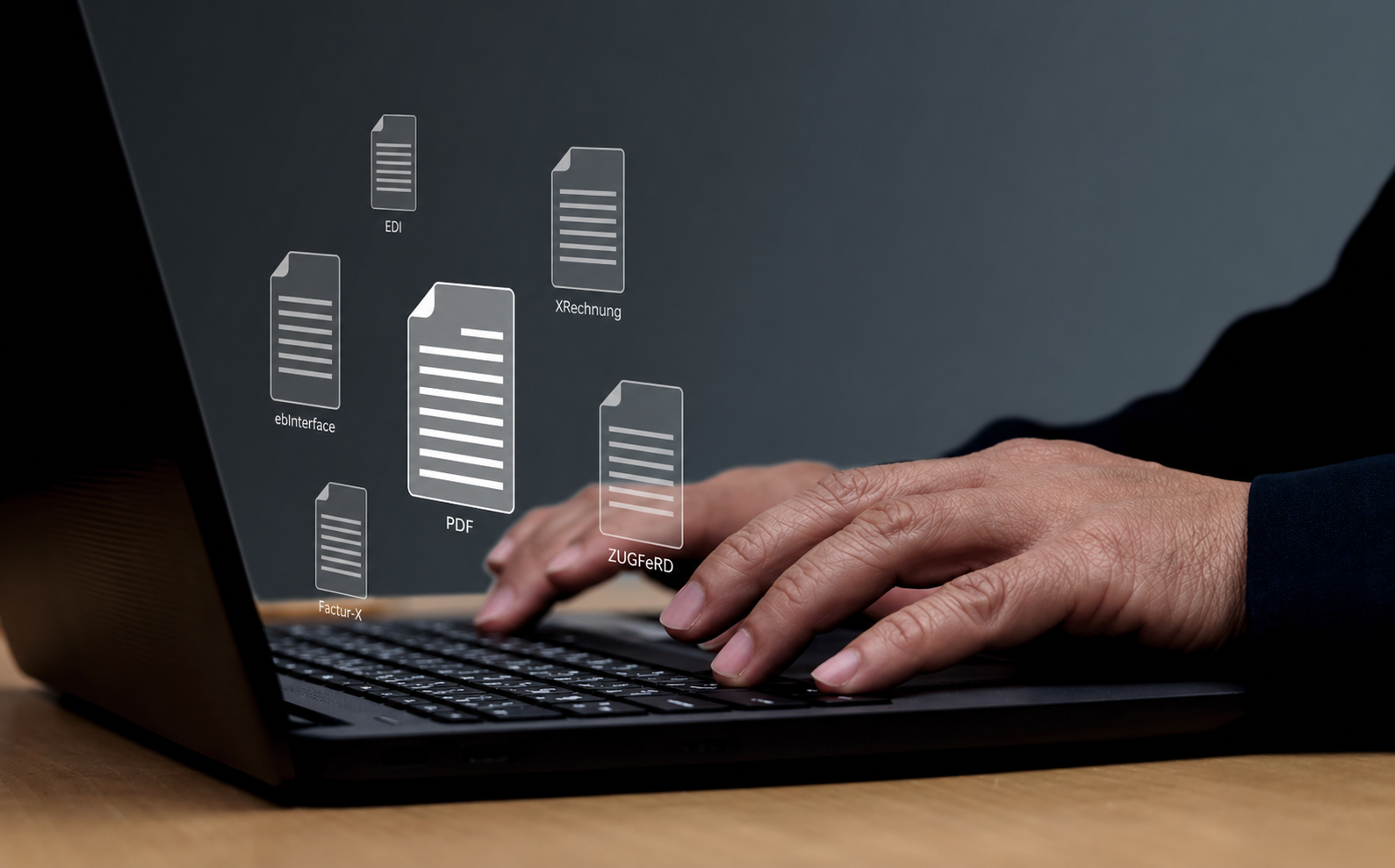
- Invoices: recognition of invoice numbers, amounts, supplier details and payment information, including various formats such as PDF, ZUGFeRD, XRechnung or ebInterface.
- Delivery notes: automatic matching to purchase orders and goods receipts, including line-item and quantity reconciliation.
- Travel and expense receipts: digital capture of hotel invoices, fuel receipts, parking tickets or entertainment receipts directly from a smartphone.
- Purchase orders and order confirmations: extraction of item numbers, prices, delivery dates and quantities.
- Company-specific documents: timesheets, certificates, CMR consignment notes, official notices and industry-specific forms.
Examples from practice:


Automatic receipt recognition in practice

Automated receipt processing: where it delivers the most value
Accounts payable (AP) invoice processing
Processing purchase invoices is one of the most common applications of automated receipt recognition. Invoices can be captured digitally as soon as they arrive and prepared for further processing. This reduces manual effort and makes checking, approval and posting easier.
Purchasing and sales
Processing purchase orders and delivery notes automatically ensures a seamless match between order, delivery and invoice. Discrepancies in quantities or prices are identified immediately, rather than only coming to light weeks later during invoice verification.
Warehouse management
The software automatically matches delivery note data against the warehouse management system. Goods received and goods issued are updated in real time, eliminating the need for manual stock reconciliation. This noticeably reduces stock shortages and inventory discrepancies, particularly in companies with high volumes of goods movement (retail, manufacturing).
Travel and expense management
Receipts can be captured on the go using a smartphone and submitted directly to the system. For more information on this and on fully digital travel expense reporting, please visit our product page on travel and expense management.
Custom document types
Processing is not limited to standard formats. Timesheets, certificates, CMR consignment notes and internal applications can also be read out, provided the data is presented in a structured format on the document.
How free-com supports companies with digital receipt capture
Free-com’s automatic receipt recognition helps companies capture documents digitally as soon as they arrive and process them further. Relevant information is automatically recognised and made available for downstream processes.
In combination with digital approval and settlement processes in particular, this creates an end-to-end workflow that significantly reduces manual effort.
Do You Have Any Questions For Us?
Whether delivery receipts, order confirmations, incoming invoices, expense reports or other types of documents – our intelligent solution automatically reads all company documents and enables a transparent, location-independent approval process.
We would be happy to advise you in a short, non-binding online appointment!